
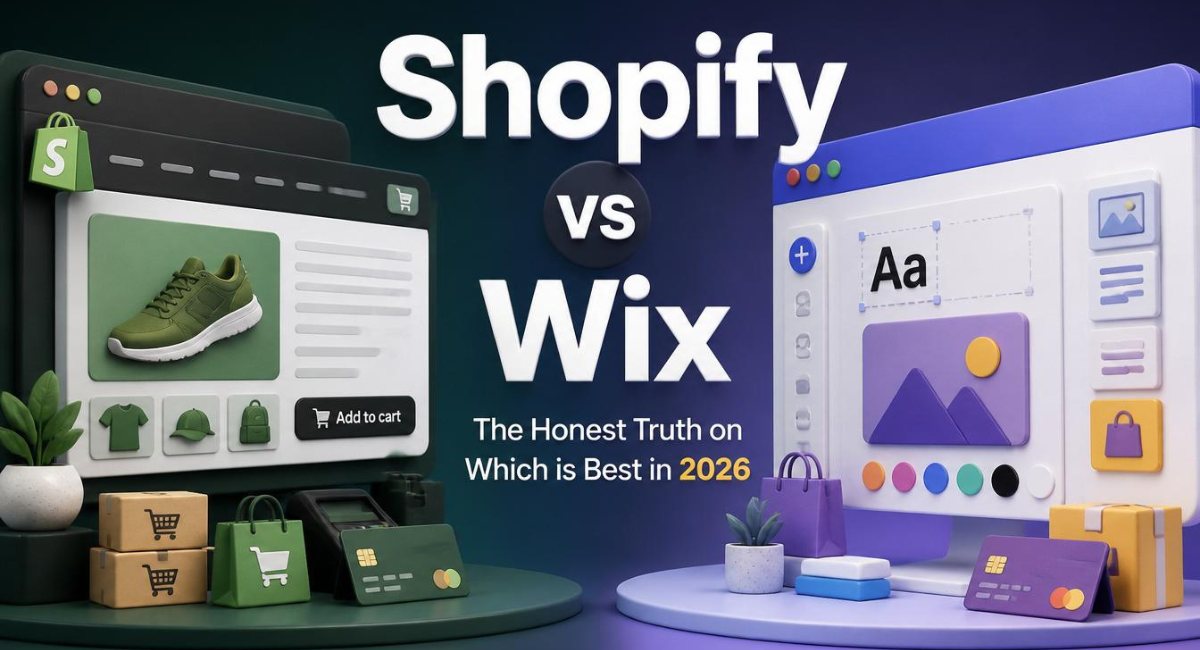
Shopify vs Wix: The Honest Truth on Which is Best in 2026
I remember staring at my screen late at night, completely overwhelmed by my options.
I was launching a new store and needed a reliable platform.
The Shopify vs Wix debate was everywhere, and every article I read felt incredibly confusing.
Some people swore by drag-and-drop freedom, while others talked about backend scalability.
I just wanted to know which software would actually help me sell my products without breaking down.
Over the past few years, I have built and managed successful stores on both platforms.
I have seen exactly where each platform shines, and more importantly, where they completely fall apart.
I am going to give you the raw, unfiltered truth about Shopify vs Wix so you can stop guessing and start building your business today.
Quick Answer
Shopify vs Wix: Which is better?
Shopify is the superior platform for businesses focused heavily on ecommerce and physical or digital product sales. It offers deep inventory management, an incredible app store, and flawless checkout systems. Wix is a fantastic website builder for service-based businesses, bloggers, or portfolios that only need to sell a handful of items on the side. If you want to build a scalable retail brand, choose Shopify. If you want a simple portfolio with a small shop attached, choose Wix.
Shopify vs Wix: What is the Main Difference?
To truly settle the Shopify vs Wix debate, you have to look at how these companies were built.
They approach online business from two completely different angles.
Understanding this core difference makes your decision incredibly easy.
What Makes Wix Unique?
Wix started as a traditional website builder.
Their primary goal was to help photographers, restaurants, and local businesses build beautiful websites easily.
Eventually, they added a shopping cart feature so those local businesses could sell a few items online.
It is a website builder first, and an ecommerce platform second.
Why Shopify Dominates Ecommerce
Shopify was built entirely for online retail.
Every single button, menu, and feature inside the dashboard is designed to help you process orders and manage inventory.
It is a powerhouse ecommerce engine that happens to have a visual website builder attached to it.
If your main goal is selling products, this platform handles the heavy lifting for you. You can click here to secure your Shopify free trial and see the backend for yourself.
Why Shopify Is a Good Choice for Beginners
When you launch your first business, technical roadblocks kill your momentum.
You do not want to spend your weekends trying to figure out why your shipping calculator is broken.
When comparing Shopify vs Wix for absolute beginners, the hosted retail model wins every time.
The dashboard walks you through everything step-by-step.
It automatically calculates standard taxes, provides deeply discounted shipping labels, and integrates perfectly with Facebook and TikTok.
Plus, the default checkout page is already optimized to capture the highest possible amount of sales.
If you want to bypass the stress and launch a professional brand fast, start your Shopify free trial right here.
Shopify vs Wix: True Cost Breakdown
Pricing is where most new business owners get tripped up.
A lower monthly fee does not always mean it is the cheaper option in the long run.
Let’s break down the realistic costs for a standard online store.
Cost Breakdown Table
| Expense Category | Shopify Cost | Wix Cost |
| Basic Ecommerce Plan | $39 / month | $29 / month |
| Transaction Fees | 0% (using native gateway) | 0% (using native gateway) |
| Product Limits | Unlimited | 50,000 maximum |
| Bandwidth & Storage | Unlimited | Varies by plan |
| Custom Themes | Free to $350 | Mostly Free |
| Average App Costs | $20 to $50 / month | $10 to $30 / month |
While Wix looks cheaper initially, you quickly hit limits on inventory space and advanced analytics.
If you are serious about growth, the $39 investment is entirely worth it. You can test the platform using this exclusive trial link before committing to a paid plan.
Shopify vs Wix: Ease of Use and Design
How easy is it to actually make your website look good?
This is a massive point of contention in the Shopify vs Wix debate.
Wix uses a pure drag-and-drop editor. You can click an image and move it literally anywhere on the screen.
This gives you ultimate creative freedom, but it can also lead to messy, unaligned designs if you lack an artistic eye.
Shopify uses a section-based editor.
You stack pre-designed blocks on top of each other.
While it feels slightly less flexible, it guarantees your website will look clean, professional, and perfectly aligned on mobile phones.
Shopify vs Wix for Dropshipping and Scaling
If you plan to use a dropshipping business model, your platform choice matters immensely.
Shopify integrates seamlessly with hundreds of dropshipping suppliers globally.
You can pull products directly from suppliers into your store with a single click, and orders are fulfilled automatically.
Wix does offer dropshipping integrations, but the app selection is significantly smaller.
Furthermore, Wix limits your total product count, which aggressively caps your growth if you want to test hundreds of dropshipping products.
If you plan to scale a large catalog, grab your Shopify account here to avoid hitting a frustrating ceiling later.
Common Mistakes When Choosing a Platform
I audit beginner websites constantly.
People always make the exact same mistakes when picking between Shopify vs Wix.
1. Focusing Only on the Monthly Price
Do not pick a platform just because it saves you $10 a month.
A clunky checkout process will cost you thousands of dollars in lost sales over a year.
2. Ignoring Mobile Optimization
Most of your customers will buy from their smartphones.
Always test your store’s theme on your phone before you officially launch.
3. Trying to Sell Everything
Do not build a digital flea market.
Pick a specific niche and speak directly to a specific group of passionate buyers.
Expert Tips for Your First Store
Once your store is built, shift your entire focus to marketing.
Here are the strategies that actually move the needle for new brands today.
1. Leverage Organic Short-Form Video
You do not need a massive ad budget to get sales.
Film authentic videos of your product and post them daily on TikTok and Instagram Reels.
2. Build Your Email List Early
Offer a small discount code in exchange for an email address.
This allows you to market to those visitors for free forever.
3. Collect Social Proof
Nobody wants to be your first customer.
Send free products to friends or micro-influencers and ask for honest photo reviews to display on your site.
If you are ready to put these tips into action, click here to build your store on Shopify and get started today.
Recommended Internal Links
Anchor Text: finding a profitable ecommerce niche
Suggested Article: /high-demand-ecommerce-niche
Anchor Text: writing high-converting product descriptions
Suggested Article: /copywriting-hacks-product-pages
Anchor Text: the ultimate guide to ecommerce SEO
Suggested Article: /ultimate-guide-ecommerce-seo
Anchor Text: how to start a dropshipping business
Suggested Article: /what-is-dropshipping
Anchor Text: optimizing your store for mobile speed
Suggested Article: /optimize-online-store-mobile-speed
Anchor Text: setting up abandoned cart emails
Suggested Article: /abandoned-cart-recovery-emails
Anchor Text: driving free traffic with TikTok
Suggested Article: /tiktok-free-traffic-store
Anchor Text: safely sourcing products from Alibaba
Suggested Article: /safely-source-products-alibaba
Anchor Text: must-have apps for new stores
Suggested Article: /must-have-apps-ecommerce-stores
Anchor Text: pricing products for healthy profit margins
Suggested Article: /price-products-maximum-profit
Frequently Asked Questions
Can I migrate from Wix to Shopify later?
Yes, you absolutely can. There are third-party apps and official migration tools designed to move your products and customer data over. However, your visual design will not transfer, so you will need to rebuild your homepage layout.
Does either platform charge hidden transaction fees?
If you use their native payment gateways, neither platform charges extra transaction fees. You only pay standard credit card processing rates. However, Shopify does charge a small percentage if you force customers to use an external third-party gateway instead of their native system.
Which platform is better for SEO?
Historically, this was a heavily debated topic, but today both platforms handle basic SEO very well. They allow you to edit meta descriptions, adjust URL slugs, and add image alt text. Shopify slightly edges out the competition for larger stores due to better site speed architecture.
Do I need to know how to code to use these platforms?
Not at all. Both systems are designed entirely for non-technical users. You will never have to look at a single line of HTML or CSS unless you specifically want to hire a developer for a highly custom feature.
Can I sell digital products on both platforms?
Yes. Whether you sell eBooks, Canva templates, or music files, both systems handle digital delivery perfectly. You simply install their respective free digital download apps, and the files are emailed to your customer automatically upon purchase.
Which option is better for a service-based business?
If you are a consultant, a local gym, or a hair salon wanting to book appointments online, Wix is generally the better choice. Its native booking and scheduling tools are fantastic for pure service businesses.
Can I use my own custom domain name on both?
Yes. You can purchase a custom domain directly through either dashboard. If you already own a domain from a site like GoDaddy, you can easily connect it to either platform in just a few clicks.
Which platform offers better customer support?
Shopify is famous for its 24/7 live chat, email, and phone support. If your store breaks at 3 AM, someone is there to help you. Wix offers decent support, but getting a live human on the phone is often much more difficult.
Do both platforms offer a point-of-sale (POS) system?
Yes, both offer hardware to sell products in person at pop-up shops or retail stores. However, Shopify POS is significantly more advanced, allowing flawless real-time inventory syncing between your physical store and your website.
Is there a limit to how many products I can sell?
Shopify allows you to upload unlimited products on every single plan. Wix limits your inventory based on the tier you select, maxing out around 50,000 items.
FAQ Schema Ready Questions
-
Can I migrate from Wix to Shopify later?
-
Does either platform charge hidden transaction fees?
-
Which platform is better for SEO?
-
Do I need to know how to code to use these platforms?
-
Can I sell digital products on both platforms?
-
Which option is better for a service-based business?
-
Can I use my own custom domain name on both?
-
Which platform offers better customer support?
-
Do both platforms offer a point-of-sale (POS) system?
-
Is there a limit to how many products I can sell?
Final Verdict
The Shopify vs Wix debate really comes down to identifying what your core business actually is.
If you are a photographer or a local bakery who just wants a beautiful website with a tiny “shop” tab in the corner, Wix is a wonderful, visual tool.
However, if your primary goal is to build a highly profitable ecommerce brand, manage real inventory, and scale your sales globally, Shopify is the undisputed winner.
It is a platform built by retailers, for retailers.
Key Takeaways
-
Wix is a website builder that added ecommerce functionality later.
-
Shopify is a dedicated ecommerce engine designed purely for scaling retail sales.
-
Always prioritize clean, mobile-friendly design and transparent checkout processes over fancy website animations.
Beginner Action Plan
-
Define exactly what type of business you want to build today.
-
If your goal is ecommerce, click here to activate your Shopify free trial immediately.
-
Choose a simple, free theme, upload your first product, and shift all your focus to marketing.
Stop letting platform comparisons hold you back. Pick your software today and start building the business you deserve!
Want to see how Shopify works in practice? Read our step-by-step Shopify store setup guide for beginners. Click Here