

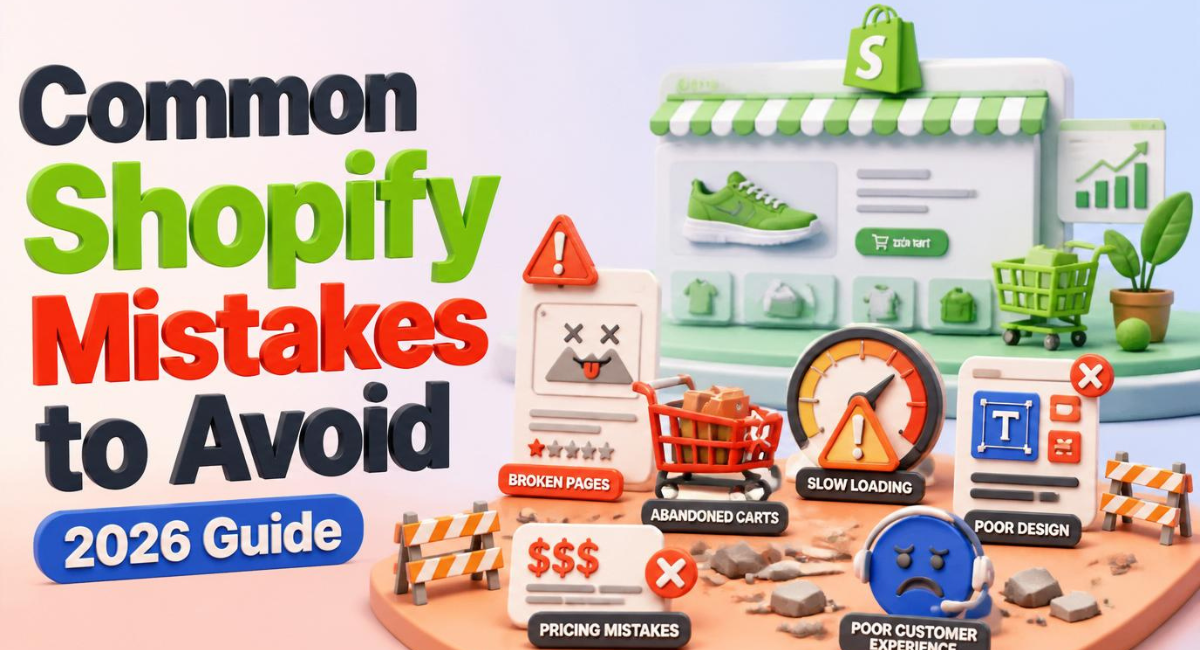
Common Shopify Mistakes to Avoid: Proven Tips to Protect Your Store
I have audited hundreds of online stores over the course of my career.
When a brilliant entrepreneur comes to me confused about why they are not making sales, the culprit is almost never their actual product.
The problem usually stems from a series of tiny, invisible technical and psychological errors scattered throughout their website.
If you want your business to survive, identifying the most common Shopify mistakes to avoid is absolutely mandatory.
I remember watching an incredible brand hemorrhage money simply because their checkout process was too confusing.
You do not have to learn these painful lessons through trial and error.
This guide is going to expose the exact pitfalls that destroy conversion rates so you can launch a highly profitable, professional store from day one.
Quick Answer
What are the most common Shopify mistakes to avoid?
The most common Shopify mistakes to avoid include using blurry product photography, hiding shipping costs until the final checkout screen, and overloading the website with too many heavy plugins. Furthermore, beginners frequently write generic product descriptions, ignore mobile optimization, and fail to implement basic email capture strategies. Fixing these core issues instantly improves website trust and drives higher sales conversions.
Table of Contents
-
Why Shopify Is a Good Choice for Beginners
-
Mistake 1: Terrible Product Aesthetics and Lighting
-
Mistake 2: The “Digital Flea Market” Approach
-
Mistake 3: Hidden Shipping Costs and Surprises
-
Mistake 4: Ignoring Mobile Speed Optimization
-
Mistake 5: Writing Generic Product Descriptions
-
Mistake 6: Overloading the Store with Apps
-
Mistake 7: Pricing Strategy Failures
-
Quick Comparison: Amateur vs. Professional Stores
-
Cost Breakdown: The Price of Mistakes
-
Essential Tools Required to Fix These Errors
-
Pros and Cons of DIY Troubleshooting
-
Expert Tips for High Conversions
-
Future Trends: AI and GEO
-
Beginner Checklist for a Flawless Launch
-
Recommended Internal Links
-
Frequently Asked Questions
-
Related Topics Readers Should Learn Next
-
Final Verdict
Why Shopify Is a Good Choice for Beginners
Before diving into the errors, it is important to understand why this platform is the industry standard.
When you build a brand, your primary focus must remain on marketing and customer acquisition.
You should never waste your valuable time managing server infrastructure or worrying about website crashes.
This is exactly why the hosted ecommerce model dominates the market.
The platform handles the complex security compliance, the hosting bandwidth, and the checkout architecture entirely in the background.
If you are ready to build your business on a solid foundation, click here to secure your Shopify free trial today.
Having access to a world-class support team and a streamlined interface prevents you from making devastating technical errors right out of the gate.
Mistake 1: Terrible Product Aesthetics and Lighting
Your digital storefront is entirely visual.
Customers cannot touch, feel, or smell your products through a computer screen.
If you are building a luxury brand like WOW CULTURE selling intricate 3D miniature statues, your visual presentation must be absolutely flawless.
Uploading photos with dark, amateur lighting immediately destroys your brand’s credibility.
Customers expect professional marketing aesthetics characterized by luxury branding and cinematic lighting.
Always invest in crisp, high-resolution photography with clean, white backgrounds for your main product shots.
Additionally, use lifestyle imagery to show your product being enjoyed in real-world scenarios.
Mistake 2: The “Digital Flea Market” Approach
Many beginners mistakenly believe that offering more products will automatically result in more sales.
They launch a store selling dog toys, kitchen blenders, and cheap fashion accessories all on the same homepage.
This is one of the most fatal common Shopify mistakes to avoid.
When you try to sell everything to everyone, you end up selling nothing to no one.
Modern consumers buy from highly specialized niche authorities.
If you want to dominate a market, curate a tight, highly relevant product catalog that speaks to a specific passionate audience.
Mistake 3: Hidden Shipping Costs and Surprises
Nothing kills a sale faster than an unexpected fee.
Imagine a customer spends ten minutes browsing your site, gets excited, and proceeds to checkout.
Suddenly, they are hit with an unexplained ₹500 shipping fee on the final screen.
They will immediately abandon their cart and buy from your competitor.
You must be radically transparent about your shipping rates and delivery times.
The most profitable strategy is to slightly raise your retail product price to absorb the shipping cost, allowing you to proudly offer “Free Standard Shipping” across your entire site.
Mistake 4: Ignoring Mobile Speed Optimization
Most entrepreneurs design their websites while sitting at a large desktop monitor.
Consequently, they completely forget to test how the site actually looks on a smartphone.
According to data from Statista, over 70% of global ecommerce traffic now originates from mobile devices.
If your website features massive, uncompressed images that take five seconds to load on a 4G connection, the customer will leave.
Always compress your image files using tools like Canva or specialized apps before uploading them.
You can test your site’s mobile responsiveness easily if you start your store using this Shopify partner link, as their default themes are incredibly fast.
Mistake 5: Writing Generic Product Descriptions
Copying and pasting the manufacturer’s technical specifications is a massive missed opportunity.
Customers do not buy products because of a bulleted list of materials.
They buy products to solve a problem, save time, or achieve a specific emotional state.
Instead of stating “Made of stainless steel,” write “Keeps your morning coffee steaming hot for 12 hours.”
Focus heavily on the practical benefits of the item.
Use short, punchy paragraphs that guide the reader smoothly toward the “Add to Cart” button.
Mistake 6: Overloading the Store with Apps
The App Store is a fantastic resource for extending your website’s functionality.
However, installing twenty different pop-ups, spin-the-wheel games, and countdown timers is a terrible idea.
Every single app injects external JavaScript code into your theme.
This bloats your website, drastically slows down your loading speed, and creates a chaotic, scammy user experience.
Stick strictly to the essentials: an email marketing tool, a product review aggregator, and an analytics tracker.
Mistake 7: Pricing Strategy Failures
Pricing your products incorrectly will destroy your profit margins instantly.
Beginners often try to be the cheapest option on the market, which sparks a race to the bottom that nobody wins.
Instead, price your items based on the perceived value you provide to the customer.
For example, if you are selling highly specific digital assets—like curated Canva template bundles for real estate agents in India—pricing them at ₹499 creates an immediate impulse-buy scenario.
You must deeply understand your target audience’s purchasing power and clearly communicate the value of your offer.
Quick Comparison: Amateur vs. Professional Stores
How do you know if you are making these errors? Review this table.
| Feature | Amateur Store | Professional Store |
| Product Images | Blurry, stolen from AliExpress | Crisp, cinematic lighting, unified aspect ratios |
| Store Navigation | 15 confusing menu options | Clean, simple, max 4 main categories |
| Shipping Rules | Hidden until final checkout | Clearly stated on an announcement bar |
| Product Copy | Boring factory specifications | Benefit-driven, emotional copywriting |
| Trust Signals | None available | High-quality customer photo reviews visible |
Cost Breakdown: The Price of Mistakes
Making these common errors is not just frustrating; it is incredibly expensive.
Here is what these mistakes actually cost you in real terms.
| Mistake | Financial Consequence | Estimated Monthly Loss |
| Slow Mobile Speed | High bounce rate, wasted ad spend | $200 – $1,000+ |
| Hidden Shipping | Massive cart abandonment rates | $500 – $2,000+ |
| Poor Photography | Zero trust, extremely low conversion rate | Almost all potential revenue |
| No Email Capture | Paying for the same traffic twice | $300 – $800+ |
| Over-Apping | High monthly software bills | $50 – $150 |
You can avoid these costly pitfalls by building on a reliable foundation. Click here to secure your Shopify trial and start with a clean slate.
Essential Tools Required to Fix These Errors
To build a high-converting machine, you need specific tools to identify and fix these leaks.
1. Google Analytics 4 (GA4)
You cannot fix a problem if you cannot see it.
GA4 allows you to see exactly which page causes users to leave your website.
2. High-Quality Review App
Install an app like Loox or Judge.me to gather social proof.
Automated emails asking for photo reviews will build your credibility faster than any advertising campaign.
3. Image Compression Software
Never upload a 5MB image to your homepage.
Use an automatic optimizer to compress images down to under 150KB without losing visual quality.
Pros and Cons of DIY Troubleshooting
Should you fix these errors yourself or hire an agency?
Pros and Cons Table
| Pros of DIY Fixing | Cons of DIY Fixing |
| Saves thousands of dollars in agency retainer fees. | Can be time-consuming to learn analytics deeply. |
| You gain a deep, intimate understanding of your business metrics. | You might accidentally break a theme layout while experimenting. |
| Allows you to make instant, real-time marketing adjustments. | Requires intense discipline to study copywriting and design. |
Expert Tips for High Conversions
Once you have eliminated the basic errors, apply these advanced strategies.
Implement a Welcome Email Series
When a user gives you their email, do not just send a generic discount code.
Send a series of three emails over three days introducing your brand story, highlighting your best products, and offering immense value.
Simplify Your Main Navigation
Customers should never have to think about where to click.
Keep your top menu completely streamlined with distinct categories like “Shop Men,” “Shop Women,” and “Contact Us.”
Add Secure Payment Badges
People are rightfully protective of their credit card data.
Display recognizable security badges (Visa, Mastercard, PayPal) directly below your “Add to Cart” button to visually reassure the buyer.
Future Trends: AI and GEO
The ecommerce landscape is evolving rapidly, and staying stagnant is a mistake in itself.
You must embrace high-utility AI tools for business automation.
AI-driven website builders and dynamic copywriting tools can save you hundreds of hours while generating highly persuasive product pages.
Furthermore, you must stop relying purely on traditional keywords.
You need to implement Generative Engine Optimization (GEO).
As search engines shift toward AI-generated summaries, structuring your content to clearly answer user questions will ensure your store remains visible in modern search results.
Beginner Checklist for a Flawless Launch
Do not launch your business until you have verified every item on this list.
-
I have compressed all homepage and product images.
-
My custom
.comdomain is successfully connected. -
Shipping rates are transparently displayed on the product page.
-
The mobile version of the site has been tested on a physical phone.
-
My primary “Add to Cart” button is a bold, contrasting color.
-
All generic factory descriptions have been rewritten by a human.
-
I have deleted any apps that I am not actively using.
-
My legal policies (Refunds, Privacy, Terms) are linked in the footer.
-
I have successfully placed a test order using a real credit card.
-
An email capture pop-up is active with a clear value offer.
If you are missing any of these elements, log back into your dashboard right now. If you need a fresh start, activate your Shopify free trial here and build it correctly the first time.
Recommended Internal Links
Anchor Text: how to start a Shopify store in 2026
Suggested Article: https://theecomfuture.com/the-ultimate-guide-on-how-to-start-a-shopify-store-in-2026/
Anchor Text: Shopify vs WooCommerce for beginners
Suggested Article: https://theecomfuture.com/shopify-vs-woocommerce-which-is-better-for-beginners-in-2026/
Anchor Text: Shopify vs Wix comparison
Suggested Article: https://theecomfuture.com/shopify-vs-wix-the-honest-truth-on-which-is-best-in-2026/
Anchor Text: starting a clothing brand with Shopify
Suggested Article: https://theecomfuture.com/how-to-start-a-clothing-brand-using-shopify-a-beginners-step-by-step-guide/
Anchor Text: print-on-demand business with Shopify
Suggested Article: https://theecomfuture.com/how-to-start-a-print-on-demand-business-with-shopify-a-beginners-step-by-step-guide/
Anchor Text: dropshipping with AI tools
Suggested Article: https://theecomfuture.com/how-to-start-dropshipping-with-ai-tools-in-2026-a-beginners-step-by-step-guide/
Anchor Text: baby products business online
Suggested Article: https://theecomfuture.com/how-to-start-a-baby-products-business-online-complete-beginners-guide-for-2026/
Anchor Text: subscription box business guide
Suggested Article: https://theecomfuture.com/how-to-start-a-subscription-box-business-in-2026-complete-beginners-guide/
Anchor Text: Shopify theme customization guide
Suggested Article: https://theecomfuture.com/the-ultimate-shopify-theme-customization-guide-for-2026/
Anchor Text: launching your first ecommerce business
Suggested Article: https://theecomfuture.com/the-ultimate-guide-on-how-to-start-a-shopify-store-in-2026/
Frequently Asked Questions
Why is my store getting traffic but zero sales?
This usually indicates a severe breakdown in website trust or a hidden fee at checkout. Check your mobile loading speed, ensure your product images are high quality, and verify that your shipping costs are not driving people away at the last second.
How many products should I launch with?
You do not need a massive catalog. A highly curated store with 5 to 15 excellent products converts much better than a chaotic store with 500 random items. Focus on quality and niche relevance over pure volume.
Is offering free shipping actually necessary?
While not strictly required, it is highly recommended. Psychologically, buyers hate paying for shipping. It is always better to increase your product price slightly to cover the logistics and advertise “Free Shipping” sitewide.
Why do customers abandon their shopping carts?
The most common reasons are unexpected costs at checkout, forcing the user to create an account before buying, and a lack of trusted payment options. Streamline the process and always offer a guest checkout option.
How many apps should I install on my store?
As few as possible. Every app adds extra code that slows your site down. Stick to the absolute core essentials: email marketing, reviews, and a reliable analytics tracker. Delete anything you do not actively use daily.
What is the biggest design mistake beginners make?
Inconsistent branding is a massive issue. Using five different fonts, clashing neon colors, and differently sized product images makes a store look like a scam. Stick to a clean, minimal palette with uniform image ratios.
Do I need to write a blog for my ecommerce store?
Yes, eventually. While paid ads bring immediate traffic, writing high-quality blog posts answering customer questions builds long-term topical authority. Organic SEO traffic is free and converts incredibly well over time.
How crucial is an “About Us” page?
It is extremely important. People buy from people, not faceless corporations. A compelling “About Us” page that shares your mission, your story, and your values builds deep trust and separates you from cheap competitors.
Should I use countdown timers to create urgency?
Only if the urgency is real. If you put a fake “Sale ends in 5 minutes” timer on your site that just resets every time the page refreshes, modern consumers will immediately recognize it as a cheap manipulation tactic and leave.
How do I know if my website is too slow?
You can test your website using Google’s free PageSpeed Insights tool. If your mobile score is below 50, you have a severe speed issue. You must immediately compress your images and remove heavy third-party plugins.
FAQ Schema Ready Questions
-
Why is my store getting traffic but zero sales?
-
How many products should I launch with?
-
Is offering free shipping actually necessary?
-
Why do customers abandon their shopping carts?
-
How many apps should I install on my store?
-
What is the biggest design mistake beginners make?
-
Do I need to write a blog for my ecommerce store?
-
How crucial is an “About Us” page?
-
Should I use countdown timers to create urgency?
-
How do I know if my website is too slow?
Related Topics Readers Should Learn Next
-
How to Build a Trustworthy “About Us” Page
-
The Psychology of Color in Ecommerce Web Design
-
How to Conduct a Full Website SEO Audit
-
Step-by-Step Guide to Setting Up Klaviyo Email Flows
-
How to Optimize Your Checkout Process for Zero Friction
-
The Best Image Compression Strategies for Online Stores
-
How to Leverage User-Generated Content (UGC) for Ads
-
Understanding the Basics of Conversion Rate Optimization (CRO)
-
How to Collect Video Reviews from Happy Customers
-
The Ultimate Guide to Managing Ecommerce Cash Flow
-
How to Structure Your Homepage to Maximize Sales
-
Best Practices for Mobile-First Shopping Experiences
-
How to Set Up Profitable Retargeting Ad Campaigns
-
The Complete Guide to Scaling from $1K to $10K a Month
-
How to Write a Return Policy That Prevents Fraud
Final Verdict
Building a successful online brand is entirely possible, but you must respect the process.
The internet is ruthless. If your website is confusing, slow, or untrustworthy, you will not survive.
Understanding the most common Shopify mistakes to avoid is your ultimate defense mechanism.
You must ruthlessly simplify your design, compress your images, write persuasive copy, and always be transparent about your pricing.
Key Takeaways
-
Never surprise your customers with hidden shipping fees at checkout.
-
Always optimize your store for mobile viewing before desktop viewing.
-
Avoid the “digital flea market” trap by curating a highly specific, niche product catalog.
Beginner Action Plan
-
Conduct a brutal, honest audit of your current store using the checklist provided above.
-
If your site feels cluttered or slow, click here to start a fresh Shopify free trial.
-
Delete all unnecessary apps, implement a clean theme, and rewrite your product descriptions focusing entirely on customer benefits.
Success in ecommerce is about removing friction. Clean up your store today, build genuine trust, and watch your conversion rates soar!